Set up ChatGPT
Connect Latently to ChatGPT so ChatGPT can request read-only project context through MCP.
Connect ChatGPT
- 1
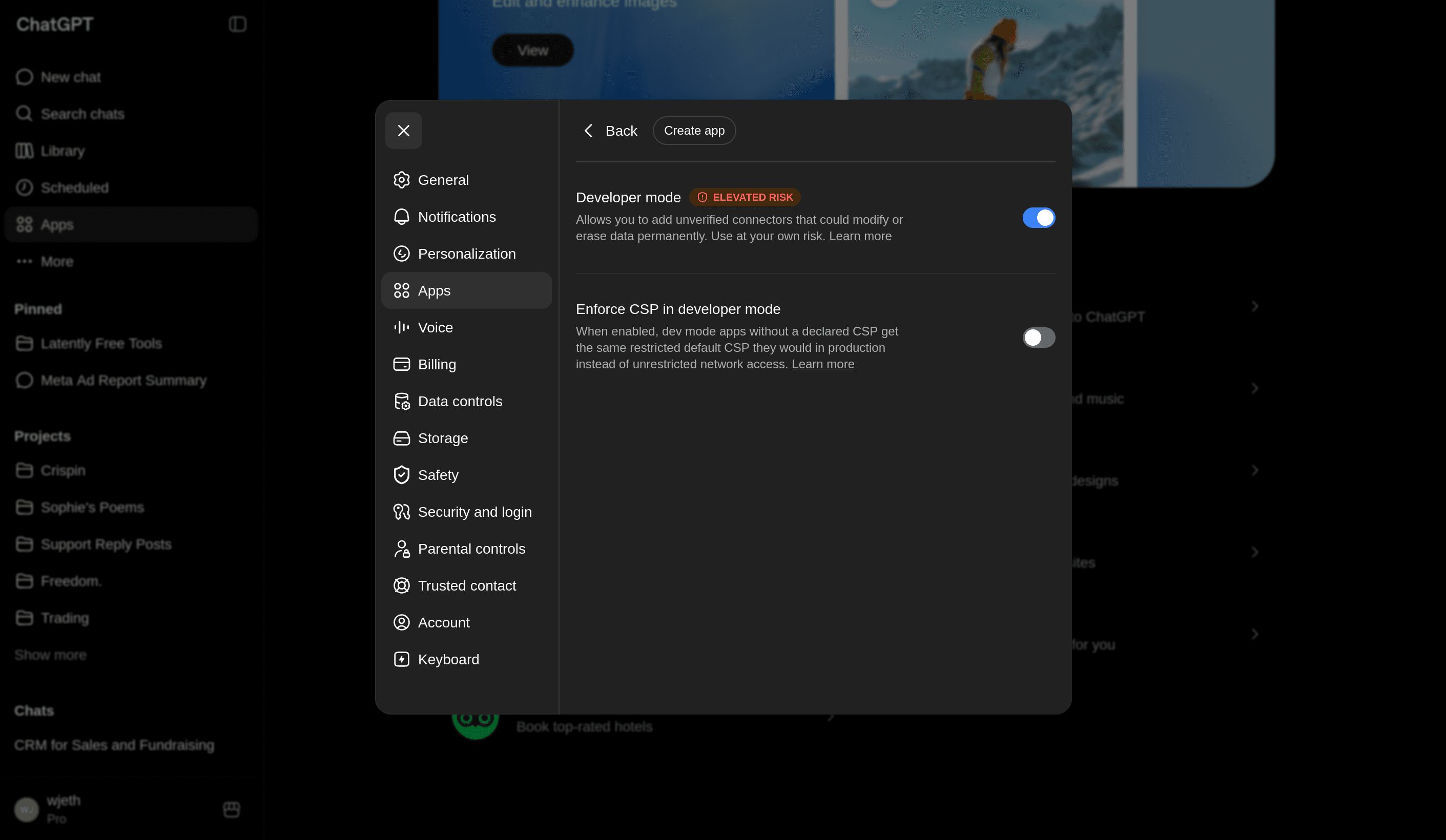
Turn on developer mode
In ChatGPT, open settings, select Apps, open Advanced settings, and turn Developer mode on.
- 2
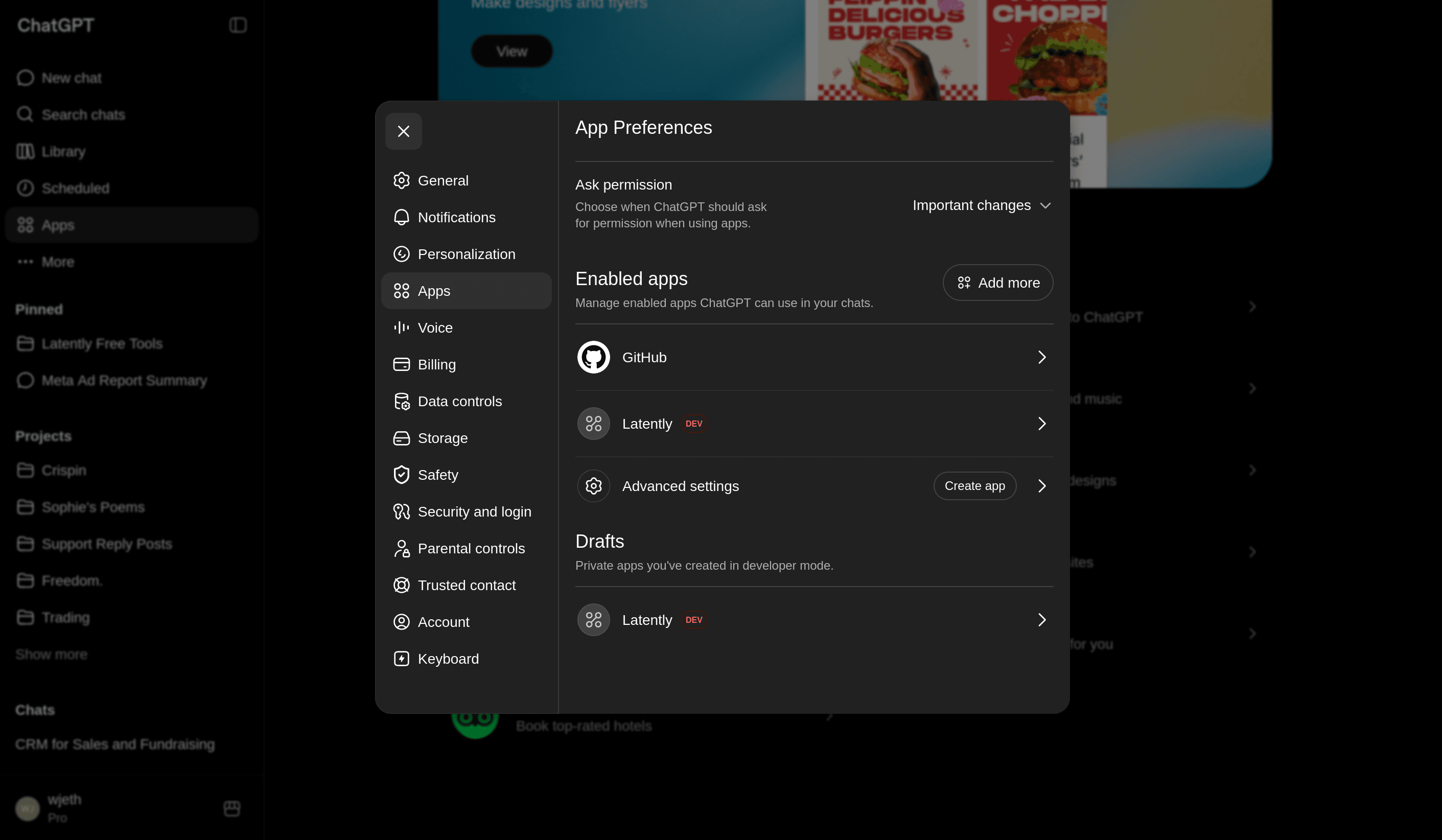
Create an app
Return to Apps in ChatGPT settings and select Create App.
- 3
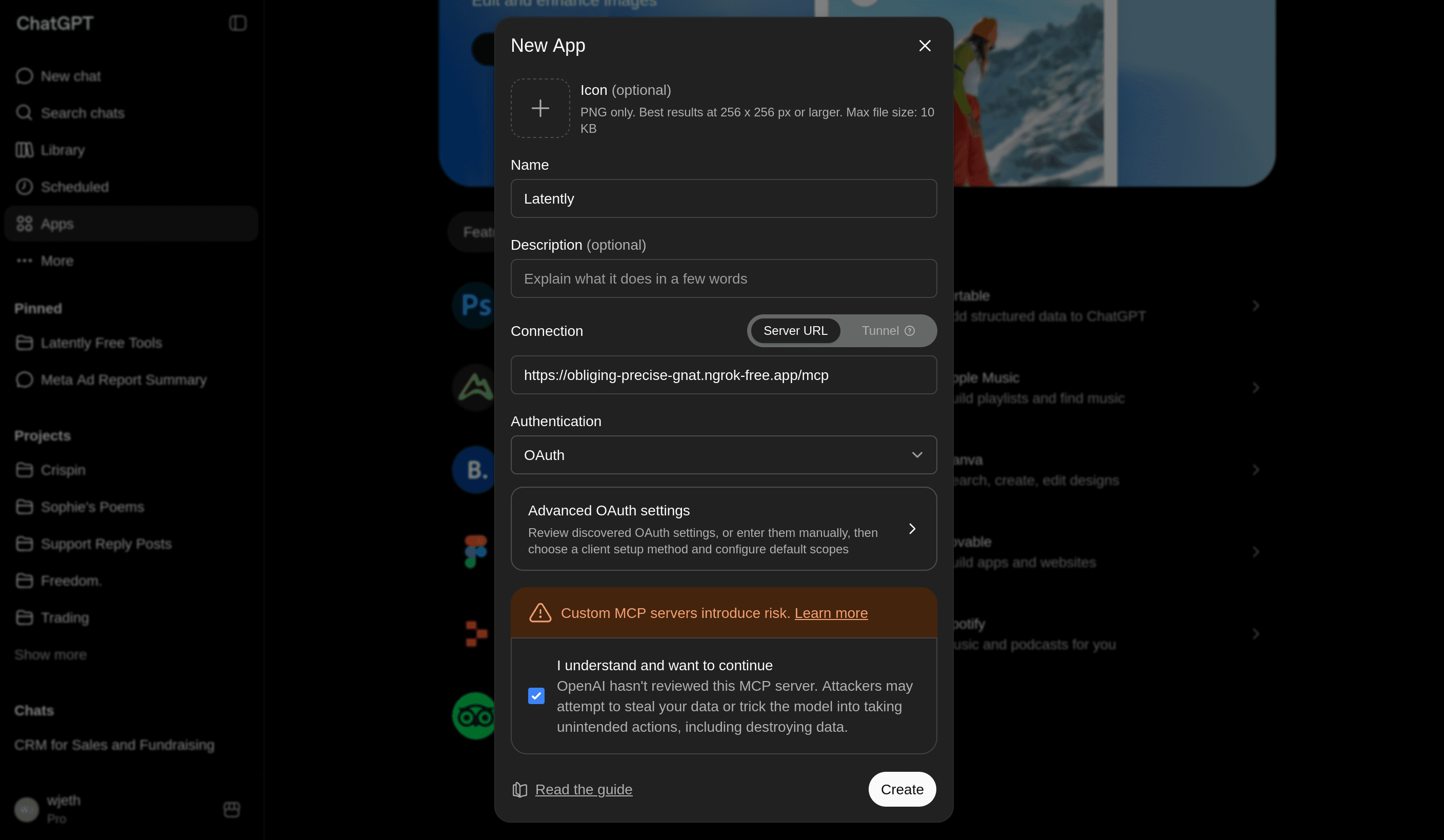
Add the Latently MCP URL
Name the app Latently. Paste the MCP server URL shown in Latently Settings > AI connections into the connection field, confirm the prompt, and create the app.
- 4
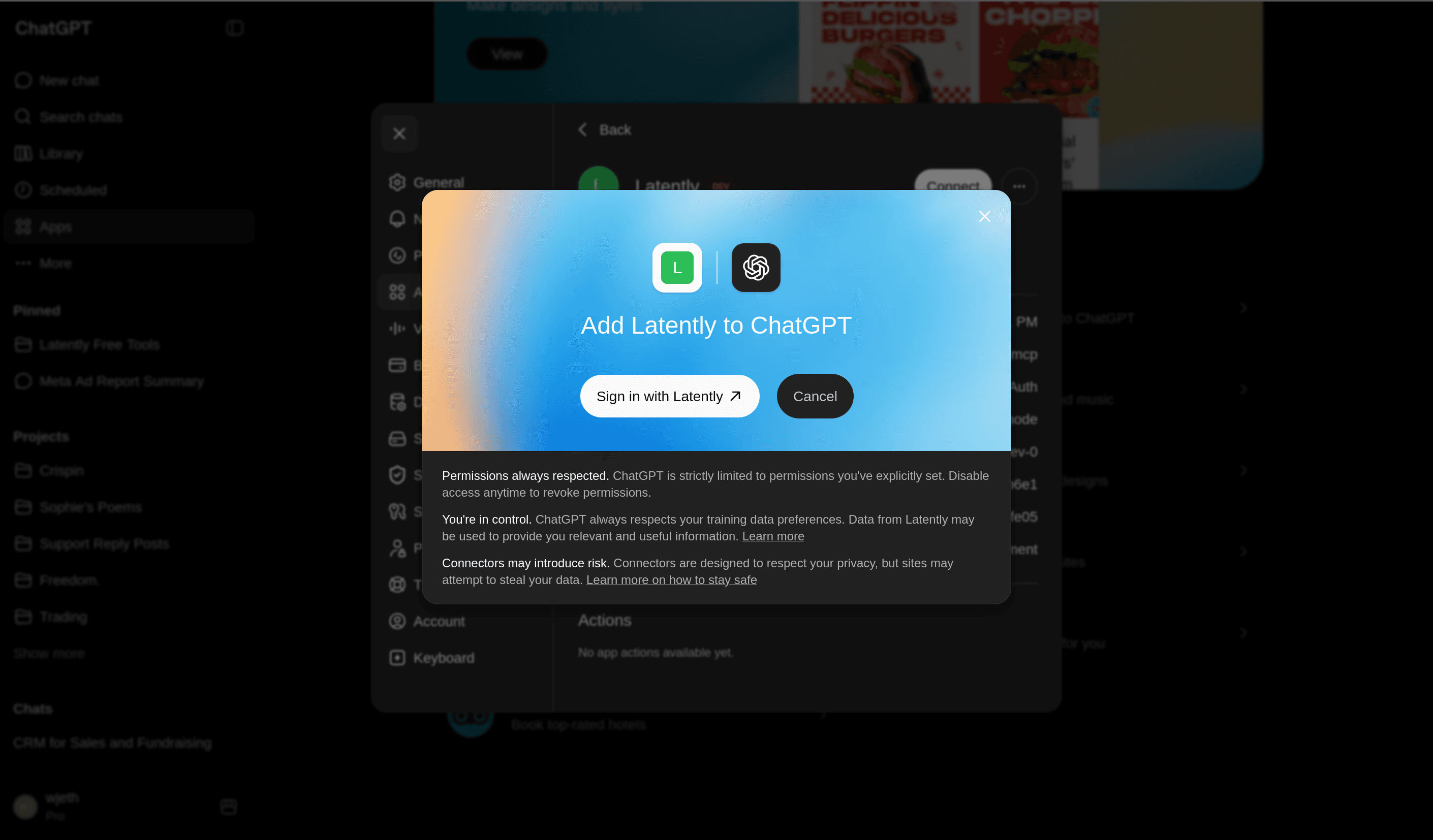
Sign in with Latently
When ChatGPT prompts you, choose Sign in with Latently.
- 5
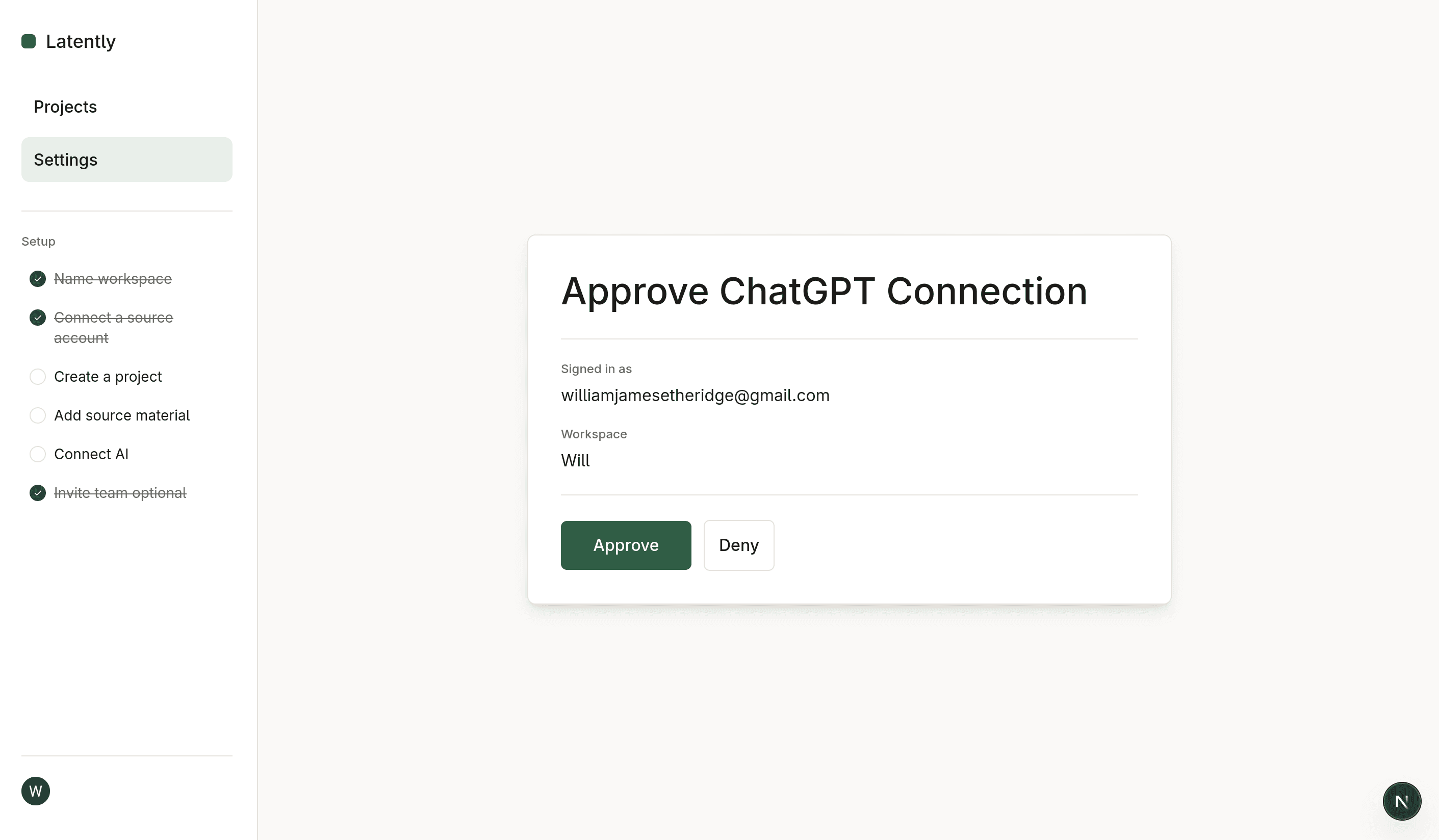
Approve the connection
Latently will ask you to approve the MCP connection. Approve it, then return to ChatGPT.
Verify ChatGPT can use Latently
Try this in ChatGPT
Use my Acme renewal project in Latently. What changed recently, and which source should I read first?